
Short answer: To photograph the Moon with a telescope, start with a stable telescope and a camera that physically reaches focus, then frame a bright lunar target before refining the recording workflow. NASA notes that lunar images can be captured through a telescope eyepiece but that practice is needed, and a high-powered eyepiece can move out of view quickly without a motorised mount. The Millionpix camera page lists a 1.25-inch interface, 2MP output, 1920×1080 resolution, USB 2.0 and up to 30FPS. It does not specify software, exposure controls, field of view or telescope compatibility, so confirm those details before expecting a particular image.
Set a realistic Moon-photography starting point
The Moon is a forgiving first target because it is bright, but a telescope camera still has to be fitted and focused correctly. NASA’s lunar photography guidance says that a camera can be pointed into a telescope eyepiece, while also noting that this takes practice and that a high-powered view can leave the frame quickly without a motorised mount.
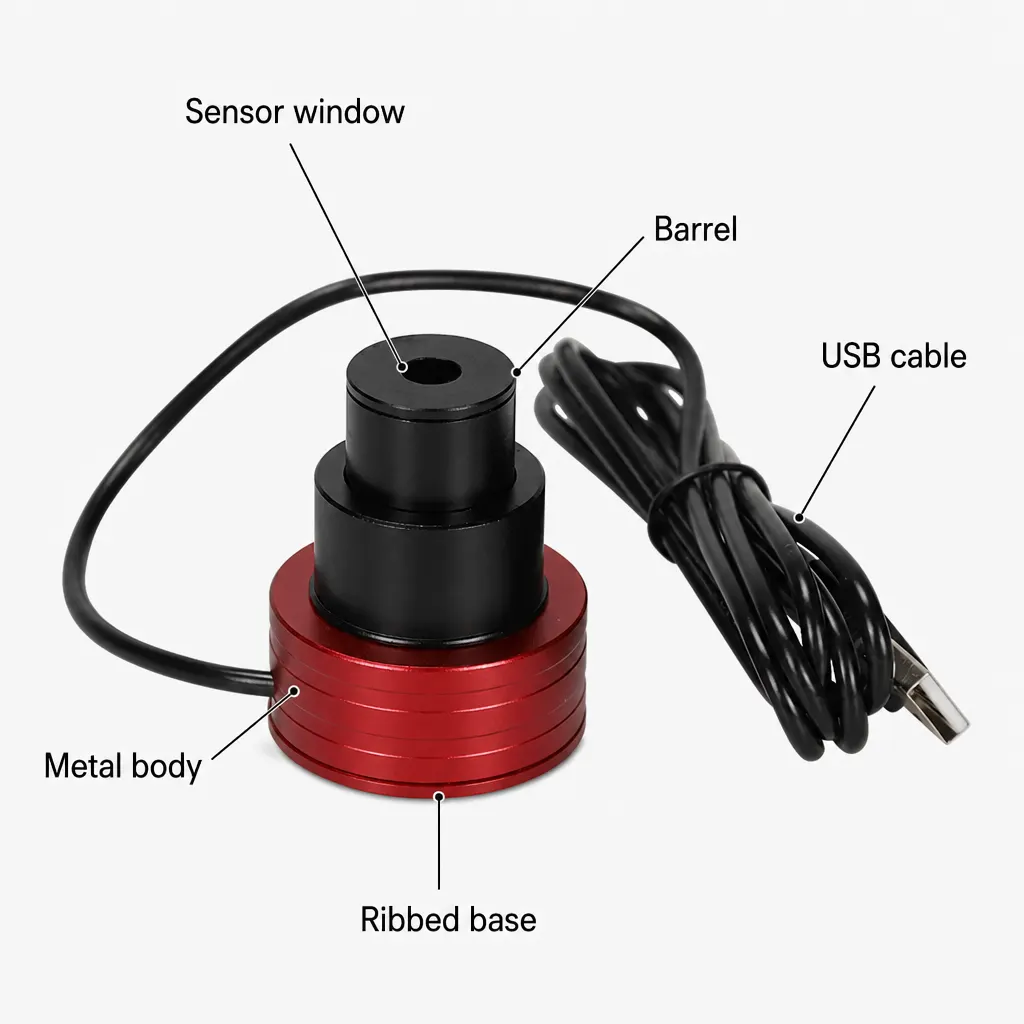
The Millionpix listing gives the camera’s 1.25-inch telescope interface, 2MP output, 1920×1080 resolution, USB 2.0 connection and up to 30FPS. These are useful selection facts, not a promise of a particular crater image.
| Moon-photo stage | What to establish | Millionpix page status |
|---|---|---|
| Mounting | Camera fits the telescope and reaches focus | 1.25-inch interface listed; focus travel not specified |
| Framing | The lunar disc stays within the sensor view | Field of view and sensor size not specified |
| Recording | Computer and software can receive the signal | USB 2.0 listed; software not specified |
| Result | Detail, contrast and sharpness suit the target | No guaranteed lunar image result is published |
Work through focus and framing first
Begin with the telescope securely mounted and the camera inserted as far as the instrument’s instructions allow. The aim is to obtain a stable, focused live view before chasing detail. The manufacturer does not specify the camera body length, focus travel, sensor size or field of view, so use the telescope and camera combination to determine what is actually visible.
If the Moon drifts out of view, re-centre it calmly and record a shorter clip. NASA’s guide warns that a high-powered lunar view can move out of frame in around 30 seconds without a motorised mount; the exact timing depends on the setup and should not be treated as a product specification.
- Align and stabilise the telescope, then fit the camera to the confirmed interface.
- Open the available capture view and adjust focus until the lunar edge is crisp.
- Centre a manageable lunar area rather than beginning with an unverified high magnification.
- Record a short clip, watch for drift or vibration and repeat after a small adjustment.
- Review the file and note which focus, framing and exposure settings produced the clearest result.
Know what the USB eyepiece does not promise
The product page states real-time video recording, a back-illuminated CMOS sensor, 2MP, 1920×1080 and up to 30FPS. It does not state the operating system, capture software, exposure range, gain control, white balance, sensor size, field of view, cable length or sensitivity.
That means the camera can be a sensible route to a computer-based lunar experiment, but the listing cannot promise a ready-made astrophotography workflow. Test the software path and focus compatibility before planning a specific session.
A careful expectation for the final image
A clear lunar image depends on the telescope, atmosphere, focus, vibration, framing and recording settings as well as the camera. NASA’s guidance recommends practice and careful setup for lunar photography; the product page does not report independent image tests or guarantee detail.
Buy the Millionpix camera when the 1.25-inch interface, computer workflow and telescope focus path are confirmed. If the project depends on a stated field of view, exposure control or software compatibility, ask for those specifications first.
Related guides and product details
For Moon photography, confirm the telescope fit and capture workflow first, then use the listed 2MP and 30FPS figures as supporting details. Read USB Telescope Camera for Moon: What to Check for related guidance. Read Digital Telescope Eyepiece for Beginners: UK Buying Guide for related guidance. Review the documented specification on the Fockety 2 million pixel electronic eyepiece camera, 1.25 product page before ordering.
Sources and safety context
- Supports the camera interface, output, USB, sensor and frame-rate claims. Current Millionpix Fockety electronic eyepiece camera product page.
- Supports the practical context that eyepiece lunar photography takes practice and that a high-powered view can drift out of frame without a motorised mount. Lunar Photography Guide.